I'm a quality and brand compliance manager at an industrial automation integrator. Every batch of equipment gets eyeballed by me before it reaches our customers — roughly 200-plus items a year. In 2024, I rejected about 15% of first deliveries for spec mismatches. Out of all the categories I audit, UPS systems have taught me more expensive lessons than almost anything else.
So let me get straight to the point: buying the cheapest UPS on the quote sheet is probably the most expensive purchasing decision you'll make across the entire equipment lifecycle.
I'm not saying the cheap box is unbuyable. I'm saying the price gap doesn't just disappear. It moves to a different invoice, with a later due date and a much harder explanation attached to it.
Here are three things I've lived through or watched happen, which is why I now write my specs differently.
The Day I Stopped Accepting “Same Spec” as a Reason to Save 20%
Back in 2023, we were outfitting a mid-size server room with UPS units. One batch came from Schneider Electric's Smart-UPS line. The other went to a vendor that quoted “identical parameters” at roughly 20% less. Same VA rating, same efficiency curve, same automatic bypass. My assumption was pretty simple: if the spec sheet lines up, why wouldn't I take the cheaper one? We didn't even run a loaded transfer test. The nameplate matched the datasheet. I signed off.
About three months later, one of the cheaper units took a simulated mains failure and the output voltage sagged way harder than I'd estimated. Calling it “out of spec” isn't quite right — the unit did meet the numbers printed on its own datasheet. But those numbers were written for a light load. Our actual operating load was clearly heavier.
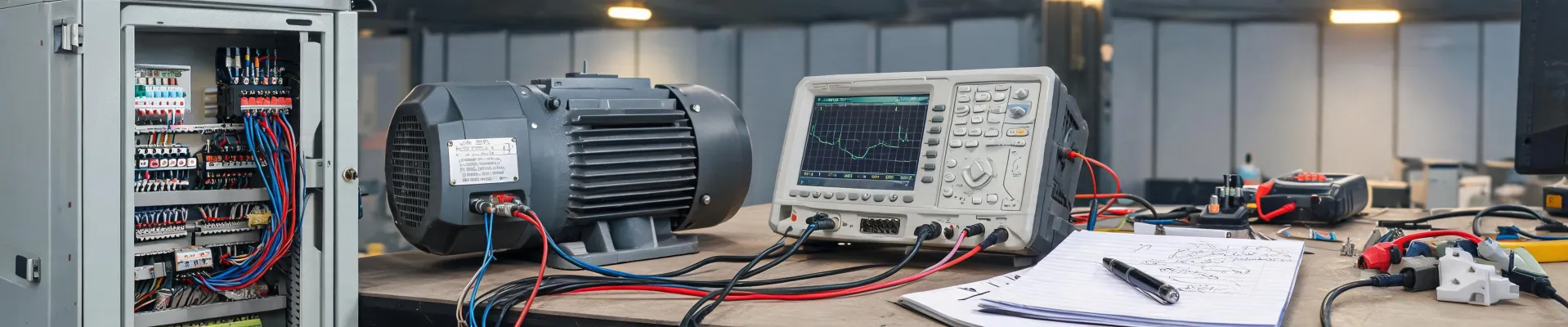
That incident changed my acceptance protocol completely. Now every UPS that comes in gets a loaded transfer run, not just a nameplate check. I measure output voltage and frequency at the terminals with a multimeter, then cross-check against what the monitoring platform reports. Sounds tedious. But on the day the power actually drops, tedious is the only thing standing between you and a very bad morning.
What I took away from that episode: the 20% you saved doesn't vanish. It's just sitting somewhere, waiting for a worse moment to send you the bill.
What a Dead Battery Charger Taught Me About “Certainty”
Here's a smaller one that stung just as much.
We had a batch of modular UPS units that started flagging battery health issues inside a year. My first instinct was battery degradation, so we pulled the strings and checked internal resistance. The cells themselves were fine. The problem was in the battery charger circuit — it wasn't topping off properly, and over time the batteries sat in a slow undercharge state. On paper the batteries weren't dead. In reality, the backup runtime had already shrunk.
I had a similar facepalm moment at home. My kid's Peg Perego ride-on battery charger died, and my first move was to grab a cheap third-party replacement online. It quit after a few days. I eventually went back to the OEM charger — cost me nearly double — and never had another issue.
Both stories are really the same story: in a power system, the battery charger, the batteries, and the UPS are a chain. The cheapest link sets the ceiling for the whole thing.
We ended up swapping the charging modules on that whole batch, which cost more than the original savings, not counting the weeks of overtime on our end.
So does OEM parts and authorized accessories carry a premium? Yes. Is it worth it? For me, yes — because what you're actually buying is the certainty that when you need it, it will actually be there. That's where the premium goes.
The Blind Spot Nobody Budgets For: Default Logins, Monitoring, and “It Looks Fine”
There's another category of problem that has nothing to do with hardware and everything to do with the fact that nobody's watching.
The first time I really dug into a Schneider UPS default login situation was during a go-live acceptance for a client. The NMC network management card still had factory-default credentials. Alert emails were going to an address nobody checked. And the on-site duty tech assumed “the UPS is already on the monitoring system.” A few months later the room had a real voltage event. By the time anyone noticed, we were already reading logs after the fact.
Now my rule is non-negotiable: every new unit gets default login review, credential changes, alert configuration, and tested email and SMS paths — before it goes into service. Then I take a multimeter to the outlet side and measure actual input and output voltage, and reconcile those readings against the software.
The actual procedure is basic enough: set the multimeter to AC voltage, probe line-to-neutral and line-to-ground at the outlet, and watch whether the reading sits steady inside the nominal range. It's not complicated. But turning “how to use a multimeter to check for power” from a textbook exercise into an actual acceptance habit — that's where most teams fall short.
None of this is advanced. But from what I've observed, most power incidents don't happen because the equipment failed. They happen because nobody knew whether the equipment was still working. And that's exactly where brands that take quality seriously — and keep investing in monitoring and firmware — create separation. The battery health, remote management, and modular serviceability themes that keep showing up in Schneider Electric APC UPS news throughout 2024 and into 2025 are really selling the same thing. Not extra features. Just a clear, readable answer to the question “is it still good?”
“But Isn't This Overkill?”
I can already hear the pushback: those are edge cases, small and mid-size setups are fine with cheaper UPS units, and paying a premium for “probability” sounds like over-engineering.
I've thought about that one.
My take: over-engineering and over-reliance on cheap are two different mistakes, and they don't carry equal weight. Over-engineering costs you a visible line item on the budget. Over-reliance on cheap saves money you can see, but the risk it builds up is invisible — right up until it blows.
That said, I'm not arguing for buying the most expensive thing every time. If it's a small UPS for a non-critical workstation, you don't need modular architecture or a Galaxy series unit. But if that UPS is sitting behind revenue systems, production equipment, or anything where “an hour of downtime triggers an incident report,” then I'd put “can I trust it to hold up” ahead of “what's the purchase price” on the priority list.
Bottom Line
If I had to keep just one sentence, it's this: in power protection, every dollar of premium you pay isn't buying components — it's buying the promise that the thing will still be there when it matters.
Cheap gear isn't forbidden. But you should be clear about what you're giving up — monitoring certainty, spares certainty, the certainty that it won't do something weird at the worst possible moment. And those things tend to come back around, at a time and in a form you didn't plan for, with interest attached.
Honestly, the best state for a UPS is when you forget it exists. And the models that let you forget them usually aren't on the bottom row of the quote sheet.

Sarah Okonkwo
Sarah Okonkwo is an electrical test and measurement analyst specializing in multimeters, clamp meters, installation testers, sensors, and power-quality monitors. She uses IEC 61010-1 and IEC 61010-2-032 safety requirements for test and current-clamp equipment, then applies IEC 61000-4-30 methods to power-quality parameters while examining category ratings, accuracy, resolution, bandwidth, harmonics, voltage events, and uncertainty. She helps technicians and buyers select instruments, set up safe measurements, interpret readings, and diagnose faults within the intended circuit environment.